Spear Throwing How to Redeem Codes
Find the codes UI, paste exactly, and claim free rewards without wasting a limited drop.
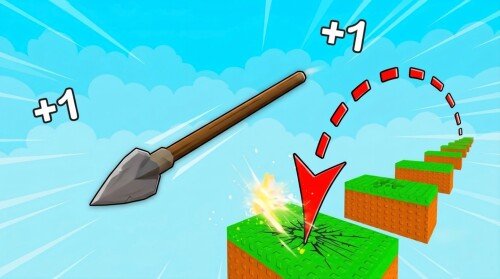
Promo codes in +1 Spear Throwing by Nocsi!!!! are free progress when they exist. This guide walks through redemption on every Roblox platform the game supports (PC, mobile, and console), explains common failure messages, and shows what to do with rewards once they land in your inventory.
If you still need active strings, start at the Codes Hub. Remember: this is not Spear Training or Cloudbound’s +1 Spear Throw - only codes for place 120309659150421 / universe 10768533103 belong here.
Before you redeem
- Launch the correct experience from the official Roblox page for +1 Spear Throwing.
- Wait until you fully load into a server (servers hold up to 8 players).
- Claim daily, playtime, and Nocsi!!!! group rewards first so you do not miss free UI gifts while hunting promo codes. Full claim steps: Daily rewards.
- Keep a notepad ready with the exact code text - do not retype from memory if punctuation is involved.
Codes are case-sensitive. Extra spaces, missing exclamation marks, or the wrong game will all fail.
PC (keyboard and mouse)
- Join +1 Spear Throwing and close any first-time tutorial popups you do not need.
- Look along the left or right HUD for a Codes, Twitter, gift box, or shop icon. Some updates bury the field under Settings or a Rewards tab.
- Click the icon to open the text box.
- Paste the code with
Ctrl+V(or right-click → Paste). - Press Redeem / Submit once.
- Watch for a green success message. Check Skill, Wins, eggs, or pets immediately.
If the UI is hidden behind another menu, press Esc to close overlays, then reopen the codes panel. After a big UPD on the official game page the button placement can move - scan the full HUD before assuming codes were removed.
Mobile (touch)
- Open Roblox on iOS or Android and join the game.
- Rotate to landscape if buttons feel cramped; the codes control is easier to tap that way.
- Tap the Codes / gift icon. If you only see a hamburger or gear, open Settings and look for a Codes row.
- Long-press the field and choose Paste so you do not mistype.
- Tap Redeem and wait for confirmation.
- If the keyboard covers the Submit button, dismiss it slightly or scroll the panel.
Mobile sessions sometimes drop soft UI focus after a throw. Finish or cancel the current throw meter, then open Codes again.
Console
Roblox on console uses the same experience, but text entry is slower:
- Open the codes panel with the controller highlight.
- Use the on-screen keyboard or a connected USB keyboard if your platform allows it.
- Enter the code carefully; confirm there are no trailing spaces.
- Submit, then verify currencies updated.
If pasting is unavailable, have a friend read the characters slowly while you enter them. One wrong character voids the attempt until you fix it.
What success looks like
A good redeem usually shows a toast such as “Code redeemed” and then:
- Skill or Wins tick upward
- An egg or pet appears in inventory
- A timed boost icon appears near your stats
Spend Skill gains on the next spear or training pad, and route Wins into zone progress. Pets should be equipped if they beat your current Skill multipliers - see Pets & eggs and the Pets tier list.
Troubleshooting failed codes
| Symptom | Likely cause | Fix |
|---|---|---|
| Invalid / wrong code | Typo or wrong game | Re-copy from a trusted list for this place |
| Already redeemed | One-time code | You already got the reward; nothing else to do |
| Expired | Timed promo ended | Remove it from your notes; wait for the next drop |
| No response | UI lag or soft lock | Rejoin the 8-player server and try once more |
| Success but no items | Inventory full / UI delay | Re-open pets/eggs menus; check Wins/Skill totals |
Never enter codes on third-party “generator” sites. Those are scams and can steal session cookies. Stay inside Roblox and this wiki’s Codes Hub.
After you redeem - spend order
Free loot is most valuable when it feeds the core loop:
- Throw better - practice stopping the meter at Perfect (~0.95+) and Thunderbolt (~0.98+). Details in Perfect throw and the Throw meter tips page.
- Buy spear upgrades - spears raise Skill per throw; early wood/basic sticks fall off fast. Use the Spears tier list.
- Hatch or equip pets - pets multiply Skill while you train and throw.
- Push zones for Wins - farther throws unlock better payout belts. See Worlds & zones.
- Rebirth at Max Level - bank multipliers, then climb again with Rebirth.
If you prefer automation, read the Scripts Hub disclaimer before running any loadstring.
How often should you check for codes?
- After every advertised [UPD] on the Roblox page
- When the Nocsi!!!! group posts a shout
- When visit milestones or events are announced
- Whenever this wiki’s Codes Hub is updated
Between drops, keep claiming daily and group rewards so your account never sits on unclaimed free progress. New players should also finish Getting Started so redemption rewards are not wasted on the wrong early purchases.
Platform notes and fair play
+1 Spear Throwing is free-to-play on Roblox for PC, mobile, and console. Codes never require sharing your password. Roblox staff and Nocsi!!!! will not DM you asking for account details to “apply” a code. If a stranger asks for that, block and report.
Redeem, verify the reward, then get back to throwing. Consistent Perfect / Thunderbolt timing still outpaces any single code over a long session.
Frequently Asked Questions
Quick answers for Skill, Wins, Rebirth, codes, and scripts.
Where is the codes button in +1 Spear Throwing?
Look for a Codes, gift, Twitter, or Rewards icon on the HUD, or open Settings. Placement can change after UPD patches, so scan the full UI after loading.
Why does my code say invalid?
Usually a typo, an expired string, or a code meant for a different spear game. Confirm the code is for Nocsi!!!!’s +1 Spear Throwing, then paste again with exact capitalization.
Can I redeem the same code twice?
Almost never. Most promo codes are one redeem per account. Already redeemed messages mean you already received the reward.
Do codes work on mobile and console?
Yes. Use the same in-game field. On mobile, paste instead of typing. On console, use the on-screen keyboard carefully.